Creative service · Photo restoration and animation
Archive.Art
A website that shows the result immediately: before-and-after photos, clear services, and a direct path to ordering.
The idea
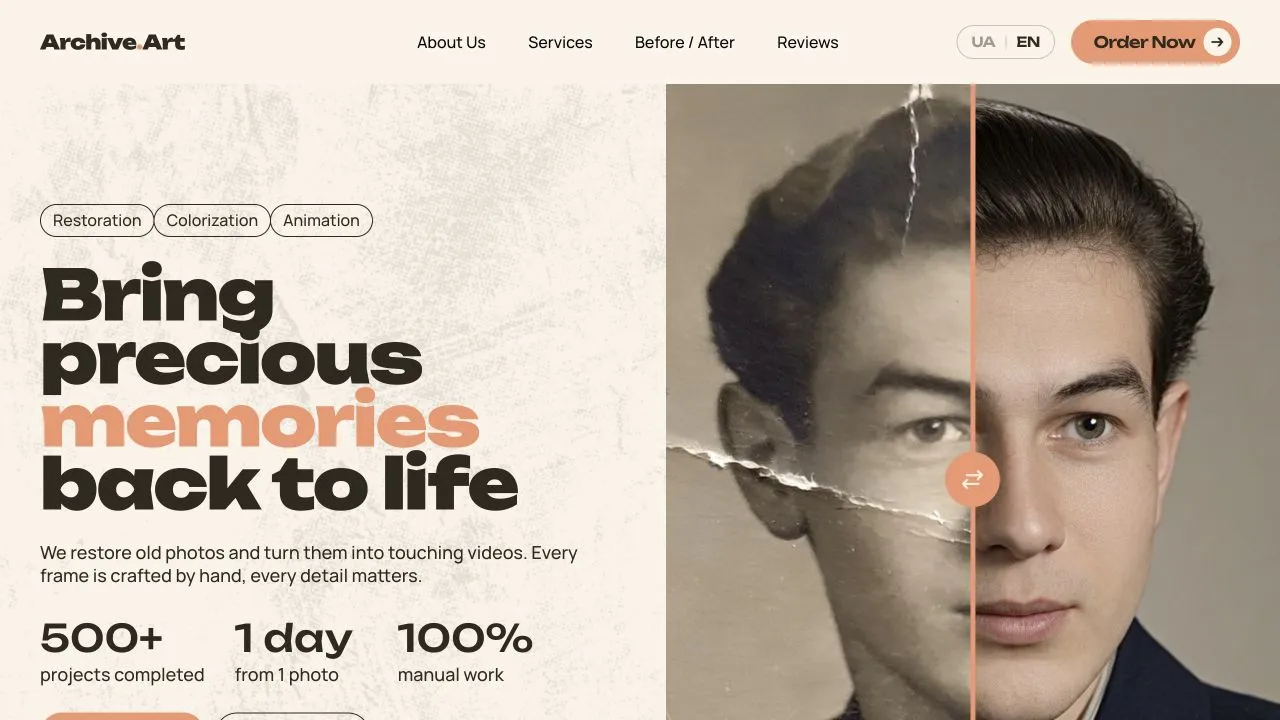
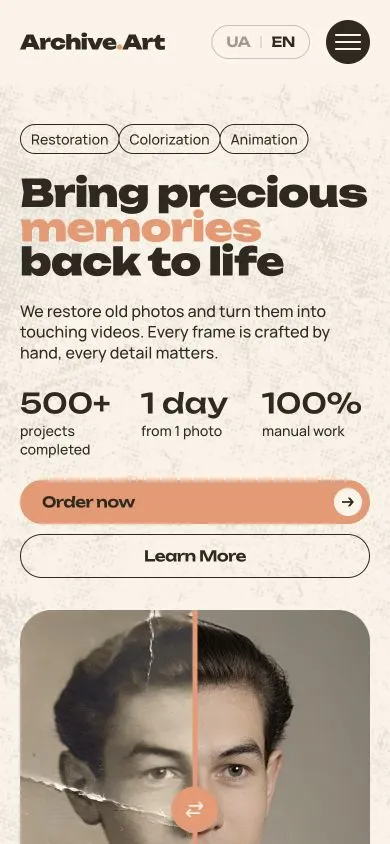
Photo restoration is hard to explain in words. The first screen shows it in action: a slider divides a damaged photograph from its restored portrait. Visitors move the line themselves and see the difference before reading a description.
How the site works
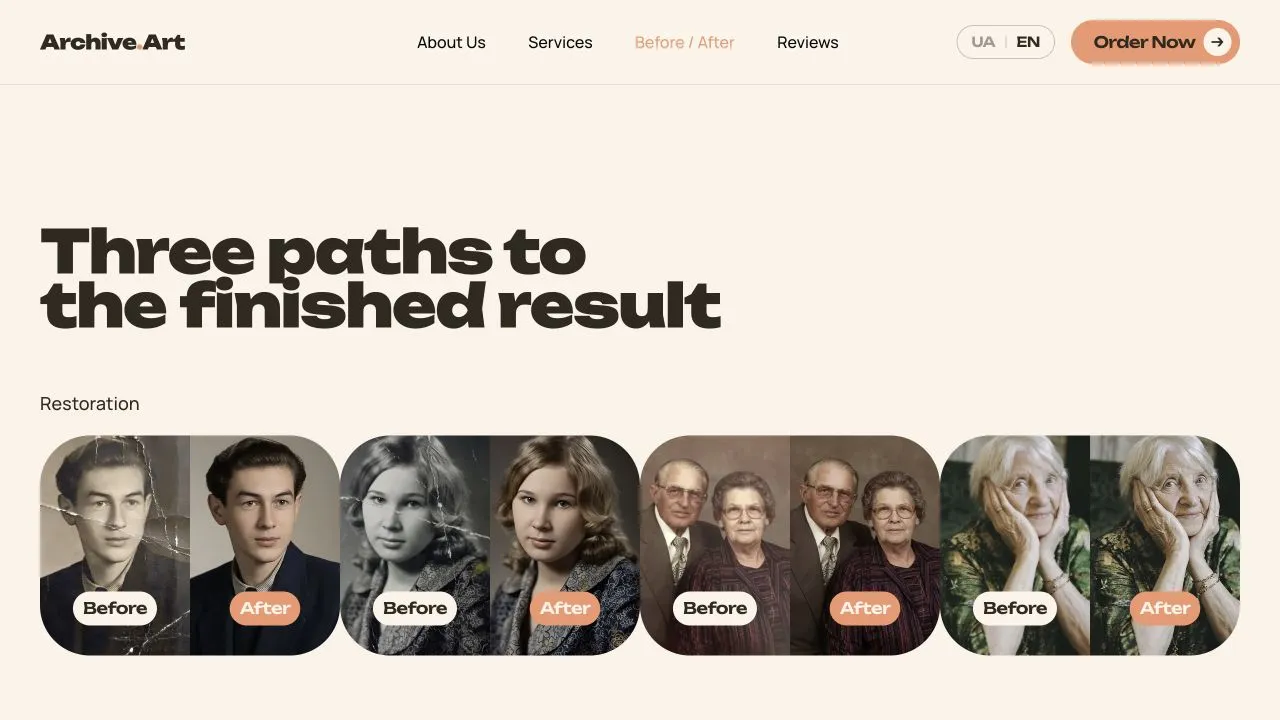
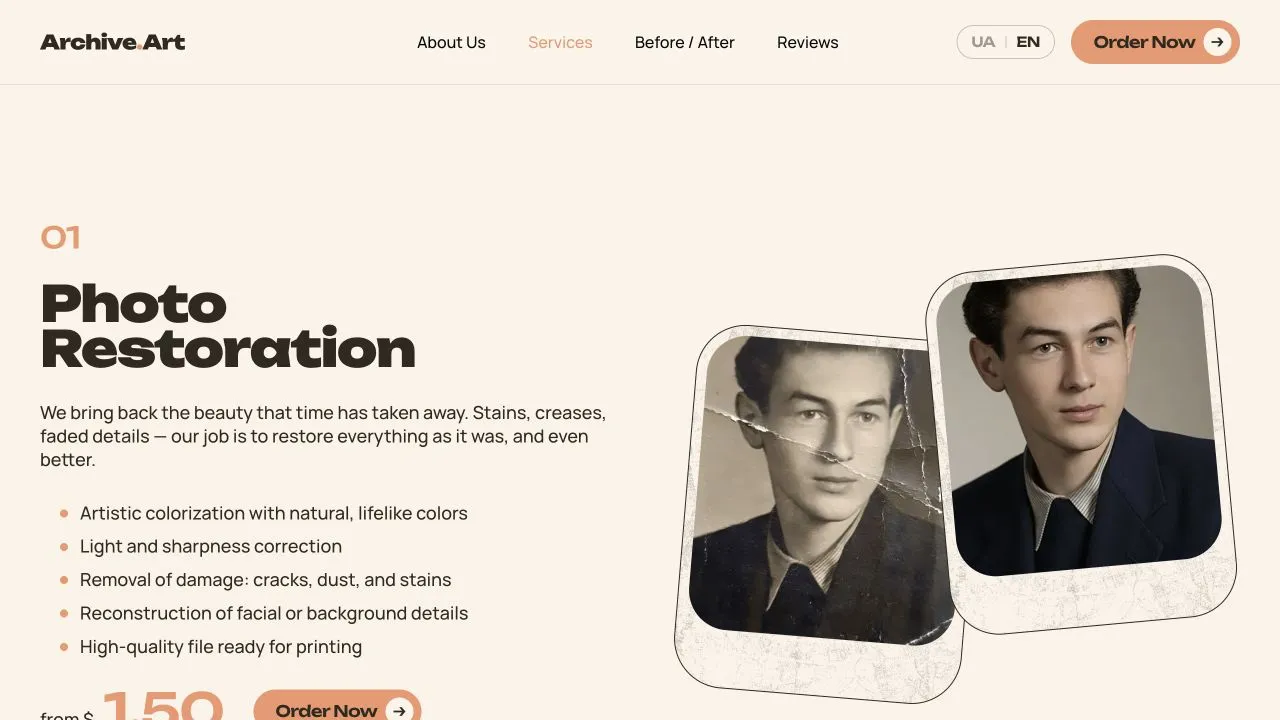
Navigation leads to services, before-and-after examples, reviews, and ordering. Restoration, colorization, and photo animation are separated by outcome, making the right service easier to find. The examples speak for the work: visitors can judge each change visually.
Visual language
The warm paper background recalls family photo albums, while coral accents highlight actions and the comparison line. Large typography sets the mood without competing with the photographs. The mobile layout keeps the same before-and-after interaction instead of replacing it with a simplified story.
Path to ordering
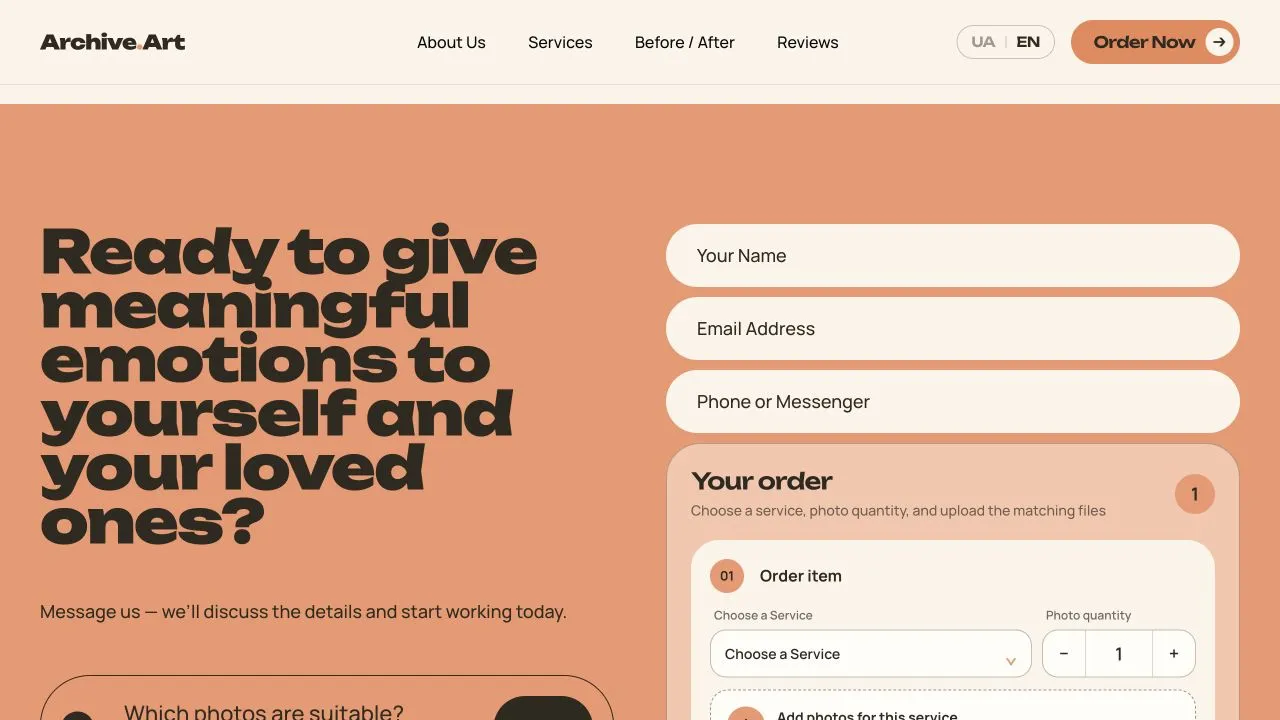
After viewing the examples, visitors can open the form and describe their photograph. Order buttons appear where there is enough context to decide: on the first screen and after the service overview. The site is available in Ukrainian and English; this case uses screenshots from its English version.
Scope of work
- 01 Design
- 02 Development
- 03 Responsive version
The result
The site shows real examples of the work and guides visitors from exploring services to the order form.
Screens
How it
looks
Mobile version
The same site
on the phone
A real screenshot of the site on a 390px screen - without a separate "lite" version.
Next